
Equali offers API integrations with sales channels like Shopify, payment providers like Stripe and accounting systems like FreeAgent and Xero.
Data Sources
Data sources include any sales channels (including eCommerce platforms) and payment providers. Equali takes data from your data sources on a regular schedule, which differ based on the source. This data is processed, reconciled and used to create settlement posts that can be posted to your accounting system.
Accounting Systems
Once you've connected an accounting system, you can post categorised settlement entries automatically or manually based on your preferences. You can only connect one accounting system per legal entity.
How to Connect an Integration
Each integration has slightly different setup steps, but all integration can be found on the "Integrations" page on the dashboard. To find this page, go to the navigation bar on the left side of the dashboard, then click on the "Integrations" link.
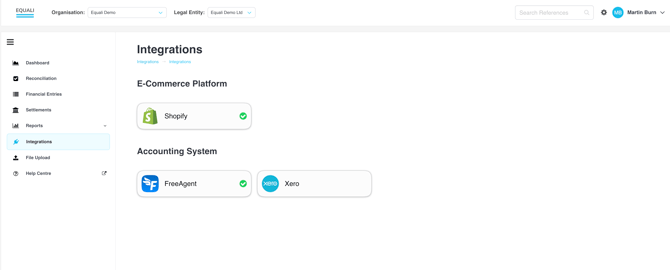
Now that you're on the Integrations page, click any of the integrations and a popup will appear with more information.
If you haven't connected an integration before, you'll be asked if you would like to connect, as shown below. If you have previously connected, different options, such as reconnecting, will be available based on the type of integration you selected.
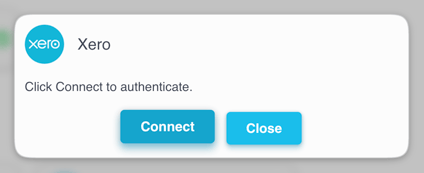
Note: all integrations are set per legal entity/store. If you would like to connect with another legal entity/store, select it from the Legal Entity dropdown at the top of the Equali dashboard.