
During your 14-day free trial, you will be able to upgrade to a subscription plan based on your requirements.
How to upgrade
During your trial, a banner will be displayed at the top of the Equali dashboard on every page. This banner tells you how many days are left in your trial, and includes a "Subscribe Now" button.
Clicking on the "Subscribe Now" button will take you to the "My Plan" page. From there, click "Change Plan" and you will be able to review Equali subscription plans.
Once you've found the right plan for you, click the "Subscribe" button to be taken to the pricing page.
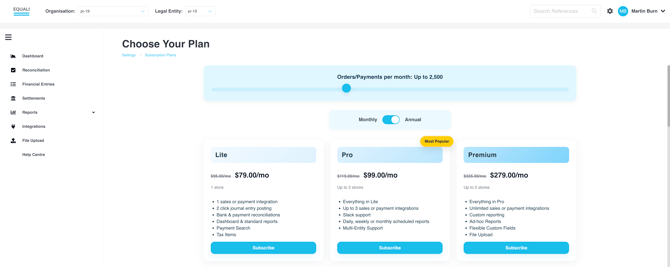
Subscription Types
-
Shopify merchants can follow the steps in this article to subscribe to an Equali subscription plan.
- Non-Shopify merchants and other customers can follow the steps in this article to subscribe to an Equali subscription plan.